Domain Claim
Verify ownership of a domain in use by another Resend team and transfer it to yours.
It's common to move domains between Resend teams.
- Test projects move to work accounts
- Teams consolidate multiple accounts
- Agencies hand off a domain to a new managed team
Starting today, you can move any domain you own between Resend teams using Domain Claim to verify ownership and transfer it.
How it works
If you add a domain already used by another team, the dashboard will notify you.
If the original account has recent sending activity with the domain in question, you will need to contact support to release the domain to prevent any issues.
To prove you own the domain, add the TXT record to your DNS, or do it in one click via DomainConnect for supported registrars. Return to the dashboard and click I've added the records.
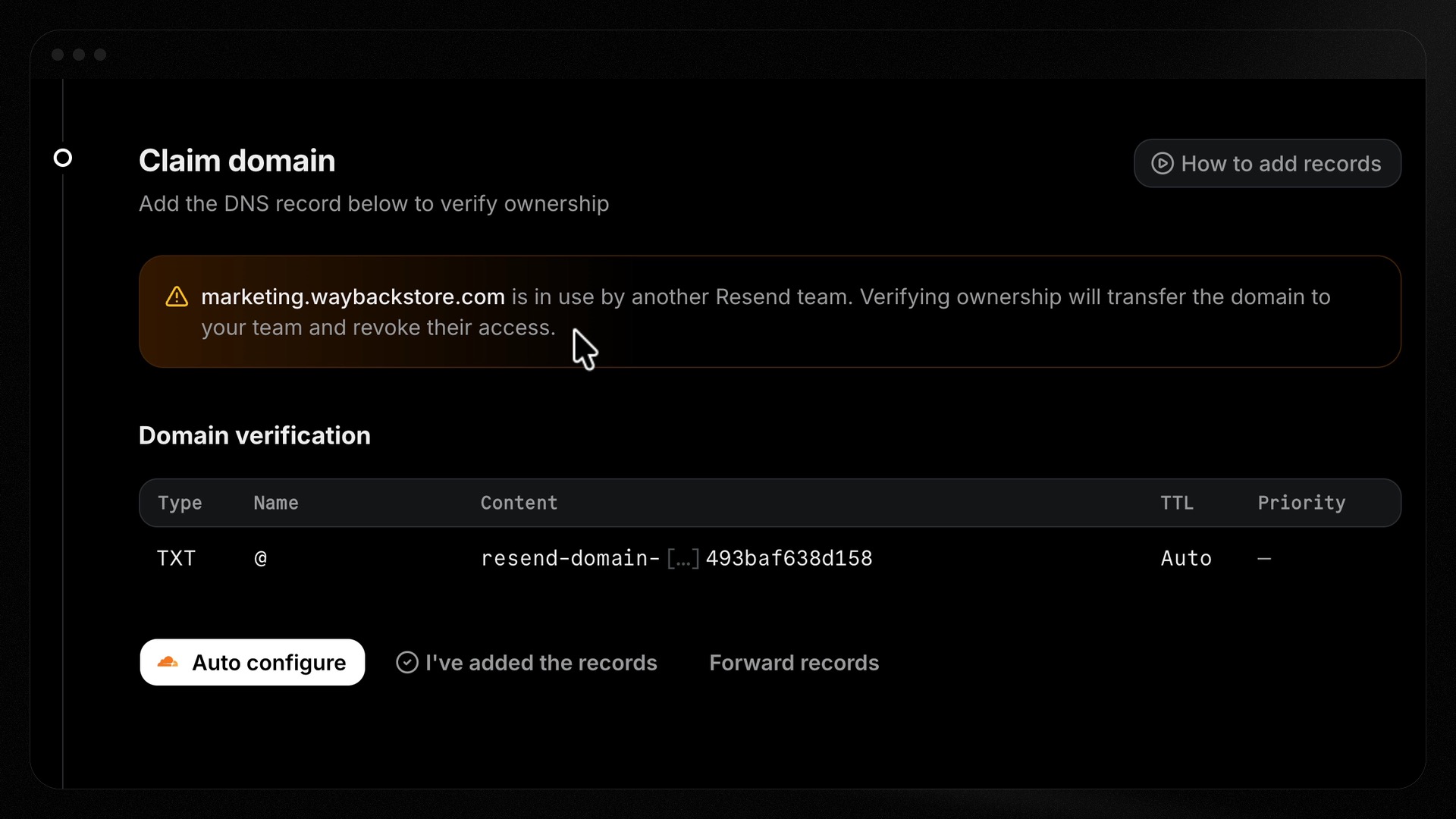
Resend verifies the domain ownership, releases the domain from the previous team, and shows you the records to add to your DNS for sending or receiving.
To add the released domain to your team, add the SPF and DKIM records shown to your DNS and click I've added the records.
Once verification is complete, the domain will be available to send and/or receive emails on your team.
What's next
To get started, add a domain today.
Our future plans include expanding Domain Claim to the API and SDKs. At that time, we will also add support for the CLI, MCP, and other agentic tooling.